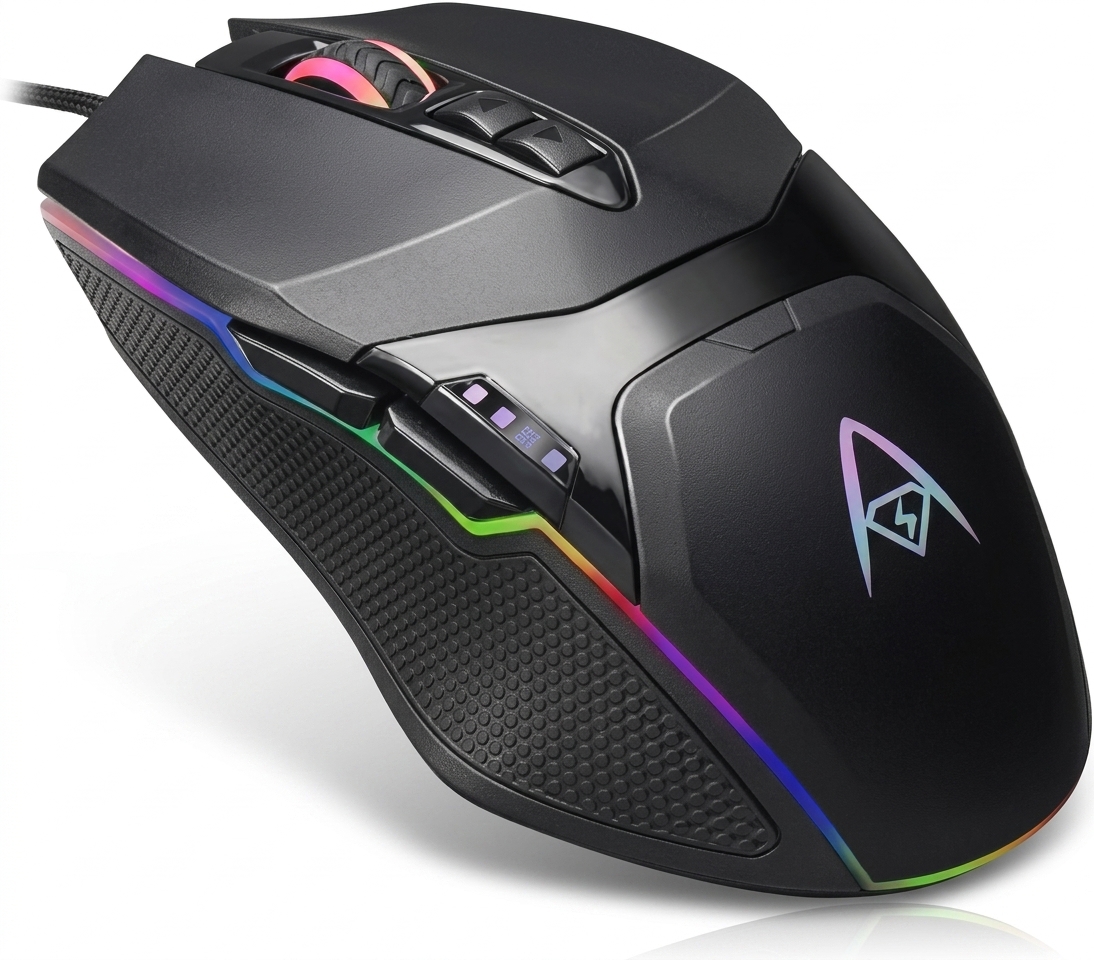
Adesso imouse e30 2.4 ghz wireless vertical programmable mouseis a right-handed ergonomic mouse designed around a vertical grip. Instead of resting your hand in the conventional horizontal position, the design encourages a more upright “handshake” posture.
Adesso positions the E30 as a wireless ergonomic mouse for users who want greater comfort during extended computer use. It combines a 2.4 GHz RF wireless connection with six buttons, an optical sensor, a DPI switch, and programmable controls.
The mouse also includes a USB wireless receiver and supports a wireless range of up to 30 feet. Adesso lists two AAA batteries as the required power source.
Adesso iMouse E30 Specifications
Here is a complete specification overview based primarily on Adesso’s current product information and documentation.
| Feature | Adesso iMouse E30 |
|---|---|
| Mouse type | Wireless vertical ergonomic mouse |
| Model | iMouse E30 |
| Hand orientation | Right-handed |
| Wireless technology | 2.4 GHz RF |
| Maximum range | Up to 30 ft. / 10 m |
| Sensor | Optical |
| Default DPI | 800 / 1600 / 2400 |
| Driver-adjustable DPI | 400–4800 DPI |
| Buttons | 6 |
| Programmable controls | Yes |
| Side buttons | Back and Forward |
| Power | 2 AAA batteries |
| Connection | USB wireless receiver |
| Dimensions | 5.0 × 2.8 × 2.8 inches |
| Dimensions in metric | 123 × 75 × 65 mm |
| Orientation | Vertical, right hand |
| Color | Black |
| Sleep mode | Automatic |
| Included items | Mouse, batteries, programmable driver, quick-start guide |
Adesso’s product page specifies a default three-level DPI system at 800, 1600, and 2400 DPI, while its programmable driver can extend the adjustable range to 400–4800 DPI.
Why Does the Vertical Design Matter?
The main reason to consider the adesso imouse e30 2.4 ghz wireless vertical programmable mouse is its physical design.
A traditional mouse generally places your palm closer to a face-down position. The E30 rotates the grip vertically, encouraging what Adesso describes as a natural handshake position. This changes how your forearm, wrist, palm, and fingers interact with the mouse.
The design does not automatically make every user more comfortable. Hand size, desk height, grip style, mouse sensitivity, and personal preference all affect the experience.
However, the vertical shape gives the E30 a clear purpose. It targets people who want an alternative to the conventional flat mouse design rather than simply adding another wireless mouse to their desk.
Key ergonomic characteristics include:
- Vertical right-handed construction
- Contoured palm support
- Easy-to-reach controls
- Upright grip
- Reduced need to rotate the hand flat
- Six-button configuration
- Dedicated DPI switch
The E30 therefore makes the most sense for users specifically looking for a vertical ergonomic mouse rather than a standard office mouse.
How Does the 2.4 GHz Wireless Connection Work?
The adesso imouse e30 2.4 ghz wireless vertical programmable mouse uses 2.4 GHz RF wireless technology rather than a cable.
The wireless receiver connects through USB, allowing you to move the mouse without a cable running across your desk. Adesso specifies a range of up to 30 feet, or approximately 10 meters.
That range is more than enough for normal desktop use. Most users will operate the mouse within a few feet of the computer, so the larger stated range gives plenty of operating distance.
The mouse also includes an on/off switch. Turning the mouse off when it is not needed can help conserve battery power.
Wireless benefits
- No mouse cable across the desk
- Up to 30-foot stated range
- USB receiver connection
- On/off power switch
- Automatic sleep behavior
- Suitable for conventional desktop setups
The receiver-based design does mean you need an available USB connection. That is worth considering if your computer has only USB-C ports and you do not already have a compatible adapter or hub.
Are the Buttons Programmable?
Yes. Programmability is one of the features that separates the E30 from simpler vertical mice.
The adesso imouse e30 2.4 ghz wireless vertical programmable mouse includes software that allows users to customize button assignments and create macros. Adesso’s documentation describes functions for button assignment, macro management, sensitivity adjustment, and color control.
This flexibility can be useful for repetitive computer tasks.
For example, you could configure available controls for functions that you frequently use instead of relying entirely on keyboard shortcuts. The exact usefulness depends on your workflow and the software you use.
Programmable features include:
- Button reassignment
- Macro commands
- Sensitivity adjustment
- DPI customization
- Color controls
- Additional cursor settings
The programmable software makes the E30 more adaptable than a basic six-button wireless mouse.
What DPI Settings Does the E30 Offer?
DPI controls determine how far the cursor moves relative to physical mouse movement.
The E30 provides three default DPI levels:
- 800 DPI
- 1600 DPI
- 2400 DPI
Adesso also states that the programmable driver can provide a broader 400–4800 DPI adjustment range.
A lower DPI setting can provide slower, more controlled cursor movement. A higher setting can move the pointer farther with less physical mouse travel.
For everyday office work, browsing, documents, and general productivity, the middle settings may offer a comfortable balance. Users who prefer very precise pointer control can experiment with lower sensitivity, while users with limited desk space may prefer faster cursor movement.
The DPI button sits on top of the mouse, allowing quick switching between the default sensitivity levels.
How Accurate Is the Optical Sensor?
The adesso imouse e30 2.4 ghz wireless vertical programmable mouse uses an optical sensor.
Adesso says the sensor is designed to provide precise tracking and states that the mouse can operate on several surfaces, including glass, wood, marble, and leather, without requiring a mouse pad.
Surface performance can still vary in real-world conditions. A dedicated mouse pad may provide more consistent movement, especially if your desk surface has unusual texture, reflections, or other characteristics that affect optical tracking.
For ordinary office surfaces, the optical sensor should make the E30 practical for everyday pointer movement.
What Does the Six-Button Layout Include?
The E30 has six primary controls according to Adesso’s specifications.
The standard layout includes:
- Left click
- Right click
- Scroll wheel/middle button
- Back button
- Forward button
- DPI switch
The side-mounted Back and Forward buttons can make browser navigation faster. Instead of moving the pointer to browser navigation controls, you can use the thumb-accessible buttons.
The DPI button adds another layer of control because you can change cursor speed without opening system settings.
This layout gives the E30 a useful balance between familiar mouse functions and additional controls.
How Does the Battery System Work?
The E30 runs on two AAA batteries. Adesso also includes an on/off switch and automatic sleep behavior in its documentation.
Battery operation eliminates the need for a charging cable, but it also means users must keep replacement AAA batteries available.
The automatic sleep feature is designed to reduce unnecessary power consumption when the mouse remains inactive. You can also manually switch the mouse off when you finish using it.
If you prefer rechargeable peripherals that charge through USB, this battery-powered design may be less attractive. If you prefer replaceable batteries and do not want to remember to charge your mouse, it can be convenient.
Is the E30 Easy to Set Up?
The basic setup is straightforward.
According to Adesso’s documentation, the wireless receiver is stored with the mouse and connects to an available USB port. After switching on the mouse, the receiver and mouse can pair for wireless operation.
For basic mouse functionality, the receiver can work through the operating system’s standard mouse support. The programmable driver provides additional customization.
Basic setup steps
- Remove the battery compartment cover.
- Install the two AAA batteries.
- Remove the USB wireless receiver.
- Connect the receiver to an available USB port.
- Turn on the mouse.
- Allow the computer to detect the device.
- Install the programmable software if you want advanced customization.
- Test the buttons and DPI settings.
Adesso provides an official E30 quick guide and product manuals for setup and customization instructions.
Who Should Buy the Adesso iMouse E30?
The adesso imouse e30 2.4 ghz wireless vertical programmable mouse is best suited to right-handed users who specifically want a vertical ergonomic design.
It can make sense for:
- Office professionals
- Remote workers
- Students
- Writers
- Programmers
- Designers who want a secondary mouse
- Users who prefer vertical grips
- People who frequently use browser navigation buttons
- Users who want programmable mouse controls
It is less suitable for left-handed users because the E30 is specifically designed for right-hand orientation.
It may also be unnecessary for people who already feel completely comfortable using a conventional mouse and do not need programmable buttons.
Is It Good for Office Work?
Yes, the feature set makes the E30 particularly relevant to office productivity.
The vertical grip gives it a distinct ergonomic profile, while wireless connectivity keeps the desk free from a mouse cable. The Back and Forward buttons can speed up browser navigation, while programmable controls can support repetitive workflows.
The adjustable DPI system also helps users find a pointer speed that suits their desk space and work style.
For long sessions, comfort becomes highly personal. The E30’s vertical form can be appealing, but users should allow themselves time to adapt if they are switching from a traditional mouse.
Is the E30 Good for Gaming?
The E30 has several features that can support casual gaming, including programmable controls, adjustable DPI, and macro functionality.
However, the adesso imouse e30 2.4 ghz wireless vertical programmable mouse should not automatically be treated as a specialized competitive gaming mouse.
Its primary design focus is ergonomic vertical use. Competitive gamers may prefer mice designed specifically around gaming weight, sensor performance, polling rate, shape, and low-latency specifications.
For casual games, productivity-oriented gaming, shortcuts, and users who prefer an ergonomic grip, the E30 can still offer useful flexibility.
Advantages and Limitations
Main advantages
- Vertical ergonomic shape
- Right-handed design
- Wireless 2.4 GHz connection
- Up to 30-foot stated range
- Six-button configuration
- Programmable controls
- Adjustable DPI
- Optical sensor
- Side Back and Forward buttons
- Replaceable AAA batteries
- On/off switch
- Automatic sleep behavior
Potential limitations
- Right-handed only
- Requires two AAA batteries
- Uses a USB wireless receiver
- Vertical design requires an adjustment period for some users
- Advanced software is most relevant to Windows users
- Not designed specifically as a competitive esports mouse
These points make the E30 easier to evaluate honestly. It is not trying to serve every type of mouse buyer.
Adesso iMouse E30 vs. a Traditional Mouse
The biggest difference is the hand position.
| Feature | iMouse E30 | Traditional Mouse |
|---|---|---|
| Grip | Vertical | Horizontal |
| Hand orientation | Right-handed | Varies |
| Wireless | 2.4 GHz | Depends on model |
| Programmable controls | Yes | Depends on model |
| DPI switching | Yes | Depends on model |
| Side navigation buttons | Yes | Depends on model |
| Optical sensor | Yes | Common |
| Batteries | 2 AAA | Varies |
| Ergonomic focus | High | Varies |
| Learning curve | Possible adjustment | Familiar to most users |
The E30’s strongest selling point is not simply wireless operation. Its defining feature is the combination of a vertical ergonomic shape and customizable controls.
Important Buying Considerations
Before choosing the E30, consider these five factors.
1. Hand orientation
The E30 is designed for right-handed use. Left-handed users should look for a mouse designed specifically for their grip.
2. Vertical mouse preference
Vertical mice feel different from traditional mice. If possible, test one before committing to a vertical design.
3. USB availability
The wireless receiver requires a USB connection. Check your computer before purchasing.
4. Battery preference
The mouse uses two AAA batteries rather than a built-in rechargeable battery.
5. Software requirements
The E30’s advanced programmable functions are particularly relevant to compatible Windows environments. Adesso’s current product information lists Windows operating systems among its requirements, while the included driver provides the advanced customization features.
Frequently Asked Questions
Is the Adesso iMouse E30 wireless?
Yes. The adesso imouse e30 2.4 ghz wireless vertical programmable mouse uses 2.4 GHz RF wireless technology and a USB receiver. Adesso states a maximum wireless range of up to 30 feet.
Is the Adesso iMouse E30 good for wrist comfort?
The E30 is designed around a vertical grip intended to encourage a more natural handshake-style hand position. Individual comfort varies based on hand size, grip habits, desk setup, and personal preference.
How many buttons does the iMouse E30 have?
The E30 has six buttons according to Adesso’s specifications. These include left and right click, Back and Forward controls, a DPI switch, and the scroll wheel/middle button.
What DPI does the Adesso iMouse E30 support?
The default DPI levels are 800, 1600, and 2400. Adesso states that its programmable driver can extend the adjustable range from 400 to 4800 DPI.
Does the E30 require a mouse pad?
Not necessarily. Adesso states that its optical sensor can operate on surfaces such as glass, wood, marble, and leather without a mouse pad. A quality mouse pad can still provide more consistent tracking on many desks.
Is the iMouse E30 suitable for left-handed users?
No. The E30 is designed specifically for right-handed use. Left-handed users should consider a vertical mouse designed for the left hand or an ambidextrous ergonomic model.
Final Verdict: Is the Adesso iMouse E30 Worth Considering?
The adesso imouse e30 2.4 ghz wireless vertical programmable mouse offers a focused combination of ergonomic design, wireless freedom, adjustable DPI, six-button control, and programmable functionality.
Its strongest advantage is the vertical shape. Users who want an alternative to a conventional horizontal mouse can get a distinctly different grip while still retaining familiar controls such as left and right click, scrolling, browser navigation, and DPI adjustment.
The E30 is especially worth considering for right-handed office users, remote workers, and productivity-focused users who value customization. Its battery-powered operation and USB receiver are worth checking against your preferences before buying.
If a vertical grip fits your hand and your workflow benefits from programmable controls, the E30 provides a practical combination of comfort-focused design and useful customization.
Leave a Reply